Real estate photo editing: the complete guide
A listing is won or lost on its first photo. Here is what good editing actually fixes, how to choose between an AI editor, manual software and a professional photographer, and the method we use to get a publish-ready image in under a minute.
Why editing decides whether your listing gets opened
Buyers don't read listings, they scan them. On Zillow, Realtor.com or your MLS, they see a thumbnail, a price and a square footage. If the photo is dark, yellow or crooked, they scroll past without ever reading the description you spent twenty minutes writing.
The problem is almost never the property. It's that a camera — even a very good phone camera — doesn't see the way your eye does. Standing in front of a window, your eye adapts instantly: you see the living room and the yard. The sensor has to choose. Expose for the window and the room becomes a cave; expose for the room and the window becomes a white rectangle.
Editing isn't about making a property look like something it isn't. It's about restoring what your eyes saw on site and the camera failed to capture.
Before / after: what actually changes
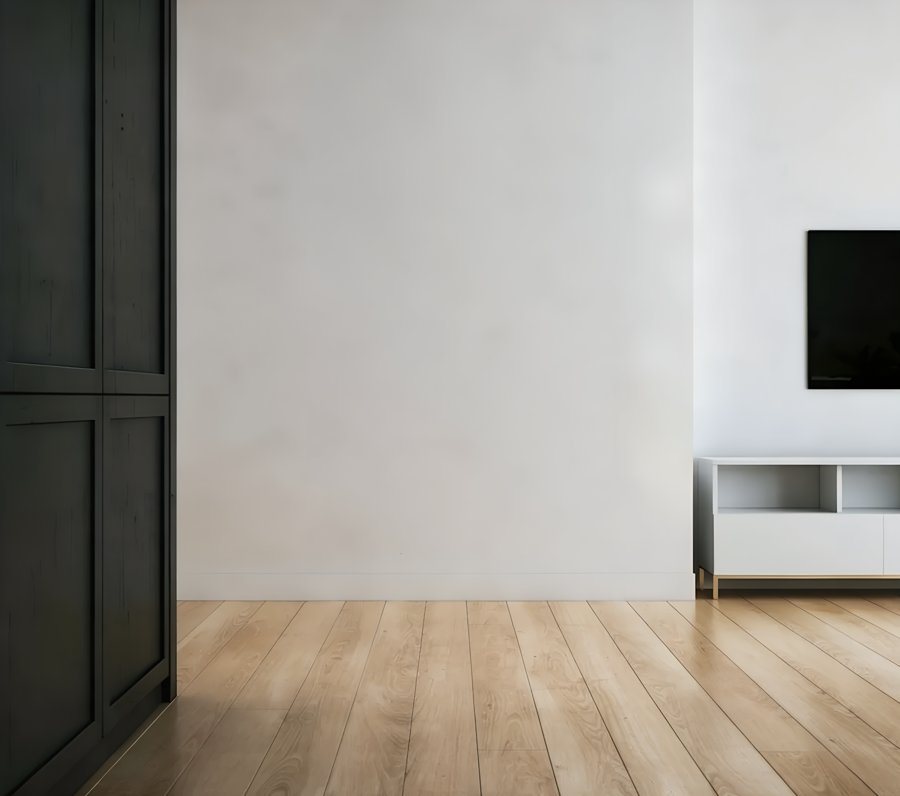
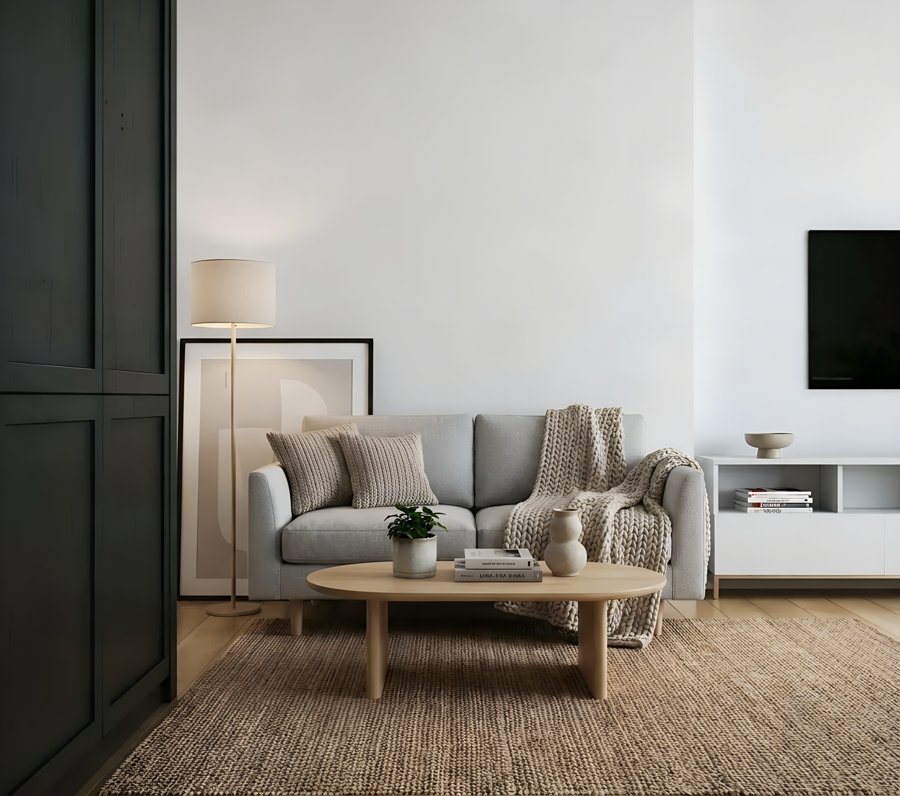
Shot on a phone, no tripod, no supplemental lighting. The room is brighter, the window is readable instead of a white rectangle, and the whites stop leaning yellow. Nothing was added or removed — same room, correctly exposed.
The four fixes that matter
1. Crooked verticals
Shooting a room, you tilt the phone slightly up or down. Walls and door frames converge and the room looks off-balance. Straightening verticals changes the perceived professionalism of a listing more than any other single fix — and it's the one most often skipped.
2. The window pull
The classic. Either the room looks right and the windows are blown out to white, or the windows look great and the room is black. Proper editing recovers both: you see the living room and what's outside. This is usually what makes people say "that looks professionally shot."
3. Color casts
Halogen bulbs turn everything yellow, ceiling LEDs push blue, a window onto a lawn throws green on white walls. Correct white balance leaves walls white, wood floors warm and tile neutral — and makes a property read as cleaner without touching a thing.
4. Sky and overall brightness
On exteriors, a gray sky drags the whole frame down. Lifting the exposure and bringing blue back to the sky is often enough to transform a facade. Note the word: bringing back. Recovering a sky that exists is editing. Replacing a rainstorm with a summer afternoon is something else.
HDR: the technique behind windows that work
If you've wondered why big-brokerage photos have sharp windows and bright rooms at the same time, the answer is three letters: HDR, high dynamic range.
The principle is simple. A room with a window contains a brightness gap your sensor can't hold in one frame: between the dark corner of the living room and a sunlit yard there's far more range than the camera can record. HDR combines several exposure levels of the same scene so both extremes stay readable.
Classic HDR: the photographer's method
The photographer puts the camera on a tripod and shoots the same scene three to five times: one dark frame for the window, one normal, one bright for the shadows. Then blends them in software. The result is excellent, but the method requires a tripod, a perfectly still scene and processing time.
AI HDR: from a single frame
This is what a modern real estate photo editor does. Instead of blending multiple frames, the AI analyzes the single photo you took on your phone, identifies the blown-out areas — typically windows — and rebuilds the light and color information missing there, while lifting the shadows. You get the HDR look with no tripod, no bracketing and no blending software.
AI editor, manual software, or a photographer?
There's no universal answer — it depends on your volume and what's at stake on each listing.
| Option | Best for | What to know |
|---|---|---|
| Professional photographer | Luxury listings, high-stakes exclusives | The best possible result, but a cost per property and a scheduling delay. |
| Human editing service | Agents who want a person in the loop | Typically priced per image with a 24–48 hour turnaround. Consistent, but not same-day. |
| Manual software (Lightroom and similar) | Agents who enjoy photography | Very powerful, but there's a learning curve and several minutes per image. |
| AI editor | Everyday listing volume | Applies the expected corrections with no settings, in seconds. Less fine control than manual software. |
In practice many agents combine: a photographer for the two or three showcase listings a year, an app for everything else. That's what costs least overall without sacrificing the listings that matter.
The 3-step method
- Shoot it right Hold the phone at chest height, perfectly level, and stand in a corner of the room. Turn on every light and open the blinds. A photo shot straight edits far better than one rescued afterwards.
- Let the AI run the corrections Upload your photos; the analysis detects the room type and applies straightening, window pull, white balance and sky treatment. Around thirty seconds per image.
- Review, then publish Compare before and after, keep what works, download in high resolution and publish. If a result isn't right, run it again — the preview is unlimited and free.
Try it on your own listing photos
The edited preview is free and unlimited, on phone and desktop. You only pay when you download a high-resolution file, and you get 5 credits when you create an account — enough to judge on your own properties before spending anything.
What it costs
Human editing services price per image, generally with a 24 to 48 hour turnaround. That makes sense for a full shoot on a great property, much less for the three photos of a studio rental.
WeRetouche works on credits: 1 credit = 1 high-resolution download, no watermark. Editing and reviewing costs nothing — you only pay for what you actually publish. Packs run from €17.99 (15 credits) to €69.99 (100 credits), which is €1.13 down to €0.70 per photo, with no subscription. Credits are valid for a year. Prices are billed in euros.
FAQ
How do you edit real estate photos?
Straighten verticals, recover the window/room exposure gap, fix white balance, treat the sky. An AI editor does all four automatically; manual software takes several minutes per image.
What is HDR in real estate photography?
An image where the room and the view through the window are both readable. Classic HDR blends tripod exposures; an AI editor gets the same window pull from one phone photo.
Do I need a professional photographer?
For luxury listings, yes. For everyday volume, an AI editor covers it at a fraction of the cost per property.
Is editing listing photos allowed?
Yes, when it improves the image without misleading. Light, color and perspective: standard. Removing defects or adding what isn't there: misrepresentation under most MLS rules.
Does it work with phone photos?
Yes — that's the main use case. Hold the phone level and turn the lights on.
Keep reading
Try it on your next listing
5 credits on sign-up. Unlimited free preview, no subscription.
Open the app See all guides